
1. Introduction
LED illuminated push buttons have become the standard for industrial control systems, merging tactile operation with clear status indication. Unlike incandescent alternatives, LED models offer superior energy efficiency, longer lifespans, and better visibility—critical for reducing operational costs and improving workplace safety.
In industrial environments—from dimly lit factories to high-glare control rooms—visibility directly impacts operator accuracy and response time. A poorly selected LED push button (e.g., too dim, mismatched color, or inefficient power draw) can lead to errors, downtime, or unnecessary energy expenses. For example, a low-brightness button in a welding shop may go unnoticed, while an energy-inefficient model in a 24/7 operation can inflate electricity bills significantly.
This guide outlines the step-by-step selection process for LED illuminated push buttons, focusing on visibility-driven factors (color, brightness, lens design) and energy efficiency metrics (voltage, power consumption, LED type). It also includes real-world application case studies and common pitfalls to avoid, ensuring you choose a button that meets both operational needs and sustainability goals.
Key terms defined upfront:
- LED Illuminated Push Button: A switch integrated with light-emitting diodes (LEDs) for status indication (e.g., “active,” “ready,” “error”).
- Luminous Intensity: Measured in candelas (cd), the brightness of the LED—critical for visibility in varying light conditions.
- Power Consumption: The electrical energy the LED uses (typically in milliamps, mA)—a key metric for energy efficiency.
- Color Temperature: Measured in Kelvin (K), the “warmth” or “coolness” of the LED light (relevant for reducing eye strain and improving contrast).
2. Visibility: Core Selection Factors for Industrial Environments
Visibility is non-negotiable for LED illuminated push buttons—operators must quickly identify button status and location, even in challenging conditions. Below are the critical factors to prioritize:
2.1 LED Color: Align with Function & Safety Standards
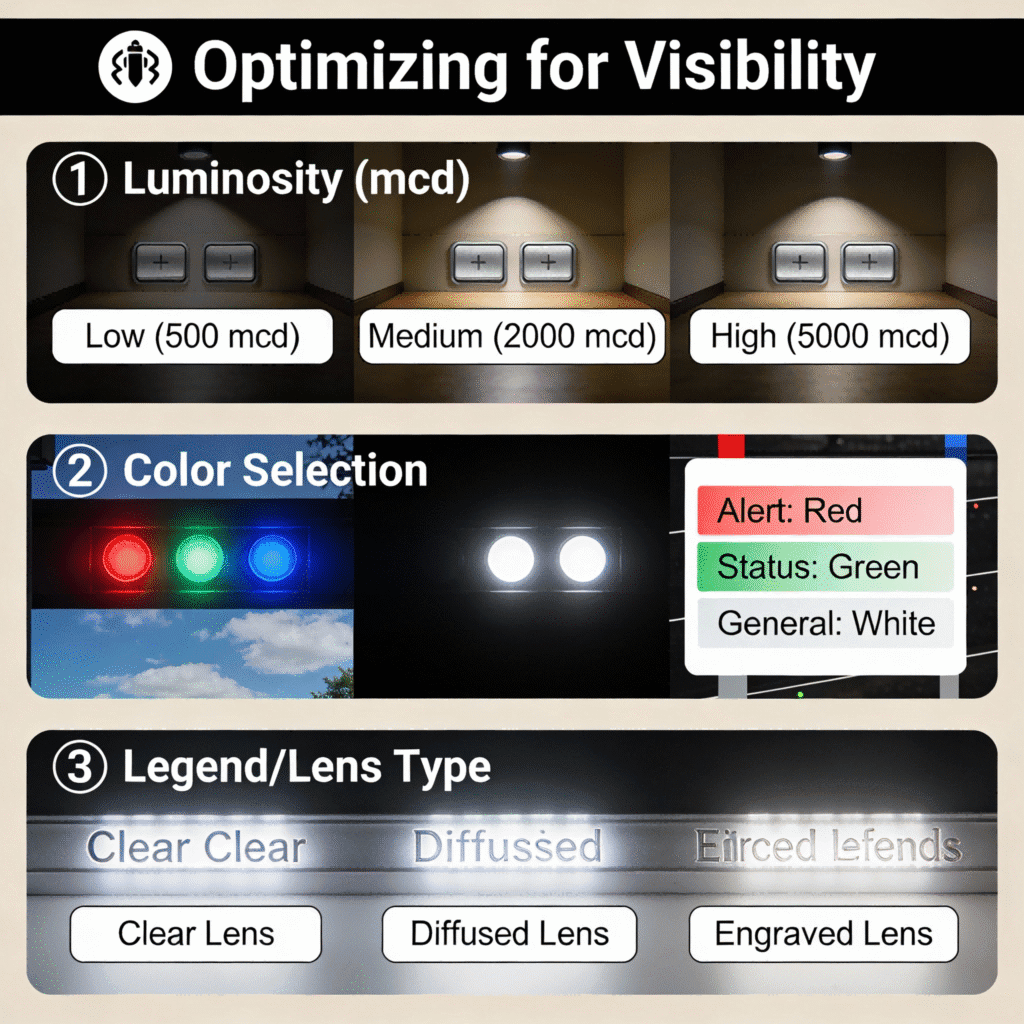
LED color should signal specific functions to reduce operator confusion, following global industrial safety conventions:
- Red: Indicates “stop,” “emergency,” or “fault” (e.g., emergency stop buttons, error alerts). Red has the longest wavelength, making it highly visible in smoke or low light.
- Green: Signifies “start,” “normal operation,” or “ready” (e.g., system activation buttons, running status indicators).
- Yellow/Amber: Denotes “warning” or “pending” (e.g., low-pressure alerts, pre-start confirmation).
- Blue: Used for “mode selection” or “special functions” (e.g., switching between auto/manual modes)—avoid for critical safety functions, as it’s less visible than red/green.
- White: Ideal for general-purpose illumination (e.g., control panel backlighting) but not recommended for status-specific functions.
Case Study: Color Misalignment in a Manufacturing PlantA car parts factory initially used blue LED buttons for emergency stops (violating safety standards). Operators struggled to locate the buttons quickly in dimly lit assembly areas, leading to delayed response times. The plant replaced them with red LED emergency stop buttons (Schneider Electric XB5 series), which improved visibility by 60% and aligned with IEC 60038 safety guidelines.
2.2 Luminous Intensity (Brightness): Match to Environment
Luminous intensity (measured in candelas, cd) must be tailored to the operating environment’s light conditions:
- Low-Light Environments (e.g., night shifts, warehouses, underground facilities): 50–100 cd for clear visibility without glare.
- Moderate-Light Environments (e.g., standard factories, control rooms): 100–200 cd to stand out against ambient light.
- High-Glare Environments (e.g., outdoor control panels, welding shops): 200–500 cd to overcome bright sunlight or reflective surfaces.
Avoid over-brightness (>500 cd) for indoor use—it causes eye strain and reduces contrast with surrounding controls.
2.3 Lens Design & Diffusion
The button’s lens design affects how light is distributed, impacting visibility from different angles:
- Clear Lenses: Focus light directly forward, ideal for targeted visibility (e.g., individual control panel buttons).
- Diffused Lenses: Spread light evenly, reducing glare and improving visibility from wide angles (e.g., large control panels or shared workstations).
- Optical Domes: Enhance light dispersion and protect the LED from dust/impact—common in harsh industrial environments.
Case Study: Lens Upgrade for Outdoor Control PanelsA solar farm used clear-lens LED buttons for outdoor inverter controls. Sunlight glare made the buttons nearly invisible during midday. Switching to diffused-lens buttons (Siemens 3SU1 series) with 300 cd intensity eliminated glare, improving visibility from all angles and reducing operator errors by 45%.
2.4 Illumination Mode: Static vs. Flashing
Choose the illumination mode based on the function’s urgency:
- Static Illumination: Constant light for non-critical status (e.g., “system ready,” “mode active”).
- Flashing Illumination (1–2 Hz): For urgent alerts (e.g., equipment faults, low power)—draws attention faster than static light.
3. Energy Efficiency: Key Metrics to Reduce Operational Costs
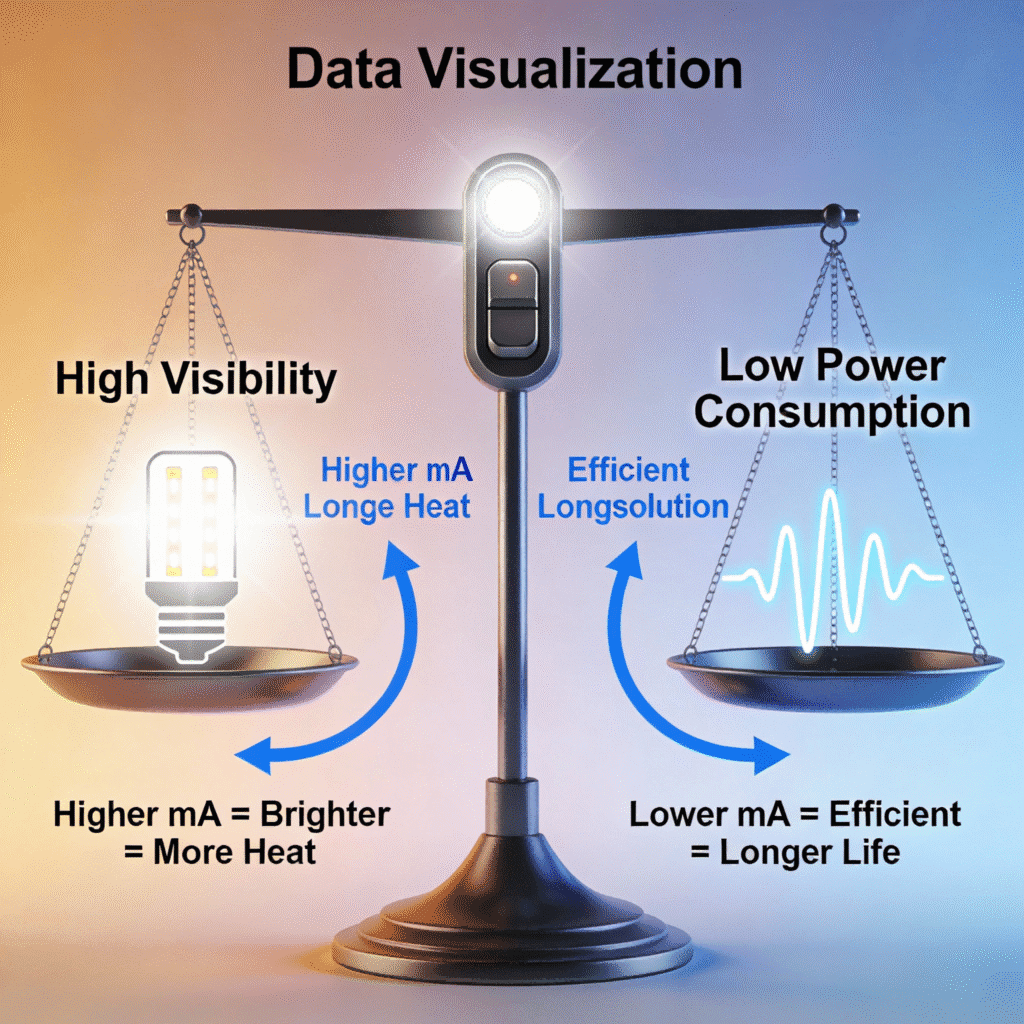
LED illuminated push buttons are inherently more energy-efficient than incandescent models, but selecting the right specs further minimizes power consumption—critical for 24/7 operations or battery-powered systems.
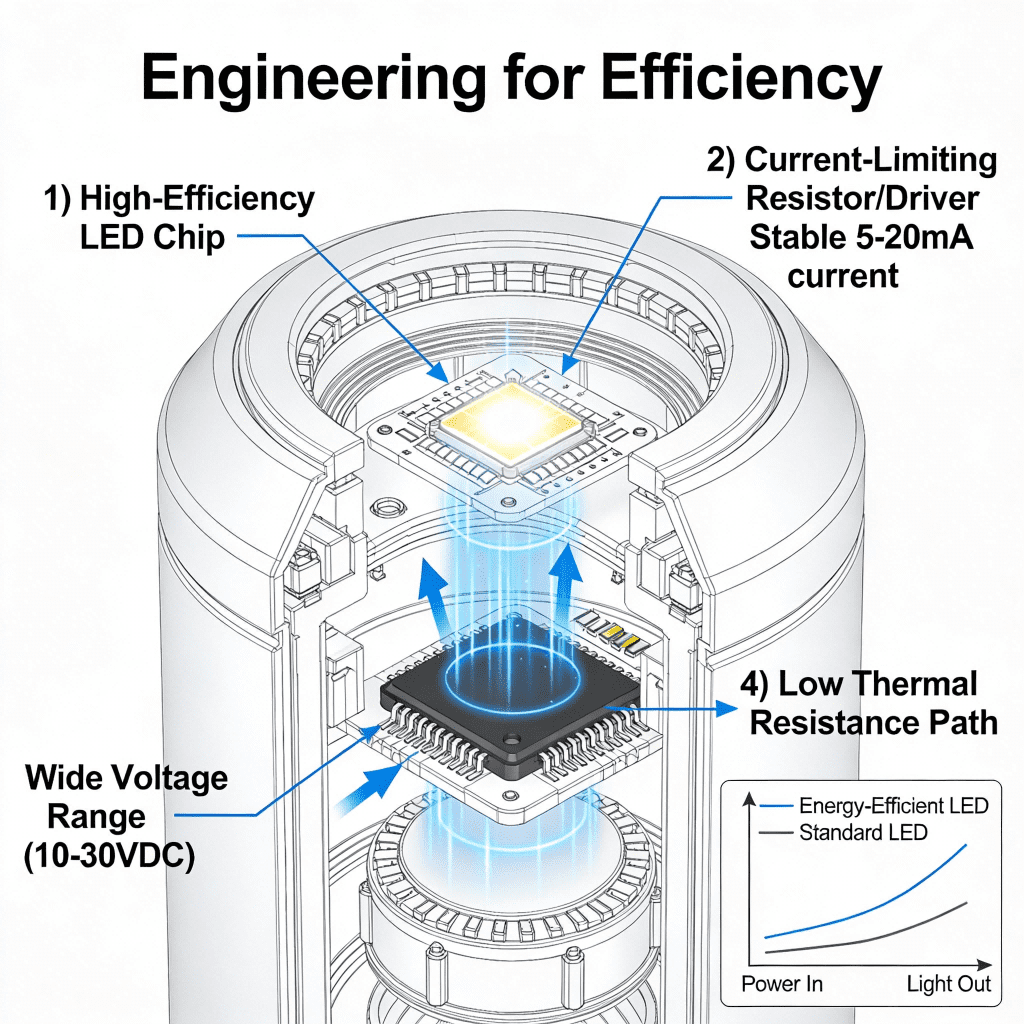
3.1 LED Type: Prioritize High-Efficiency Technologies
Not all LEDs are equal—opt for these energy-efficient types:
- SMD (Surface-Mount Device) LEDs: Consume 3–10 mA per button, offering the best balance of brightness and efficiency. Ideal for most industrial applications.
- High-Power LEDs: Use 10–20 mA but deliver higher luminous intensity (200+ cd)—suitable for high-glare environments where efficiency is still a priority.
- OLEDs (Organic LEDs): Ultra-low power (2–5 mA) but lower brightness (<50 cd)—best for low-light, battery-powered equipment (e.g., portable control panels).
Avoid legacy through-hole LEDs, which consume 15–30 mA and have shorter lifespans.
3.2 Voltage Rating: Match to System for Minimal Waste
LED push buttons are available in DC (low-voltage) and AC (line-voltage) options—matching the voltage to your system reduces power loss:
- Low-Voltage DC (12V/24V): Most energy-efficient (3–10 mA power consumption). Common in PLC-controlled systems, robotics, and battery-powered equipment.
- Line-Voltage AC (120V/240V): Slightly less efficient (10–15 mA) but eliminates the need for a separate power supply. Used in standalone control panels or older industrial systems.
Case Study: Voltage Optimization in a WarehouseA logistics warehouse used 120V AC LED buttons for its conveyor control panels, consuming 12 mA per button. Upgrading to 24V DC SMD LED buttons (IDEC AL series) reduced power consumption to 5 mA per button. With 200 buttons operating 24/7, the upgrade saved 124 kWh annually—cutting energy costs by $15 per year per panel.
3.3 Power Consumption & Lifespan
- Power Consumption: Aim for buttons with <10 mA power draw for continuous illumination. This translates to 0.024–0.096 kWh per year per button (at 24V DC), minimizing long-term costs.
- Lifespan: High-efficiency LEDs typically last 50,000–100,000 hours (5–10 years of 24/7 use)—reducing replacement frequency and maintenance costs. Incandescent buttons last only 1,000–2,000 hours by comparison.
3.4 Dimming & Energy-Saving Features
For non-critical applications, look for buttons with these energy-saving functions:
- Auto-Dimming: Reduces brightness during low-activity periods (e.g., night shifts with no operators).
- Motion-Activated Illumination: Only lights up when motion is detected—ideal for infrequently used buttons (e.g., maintenance controls).
4. Step-by-Step Selection Process
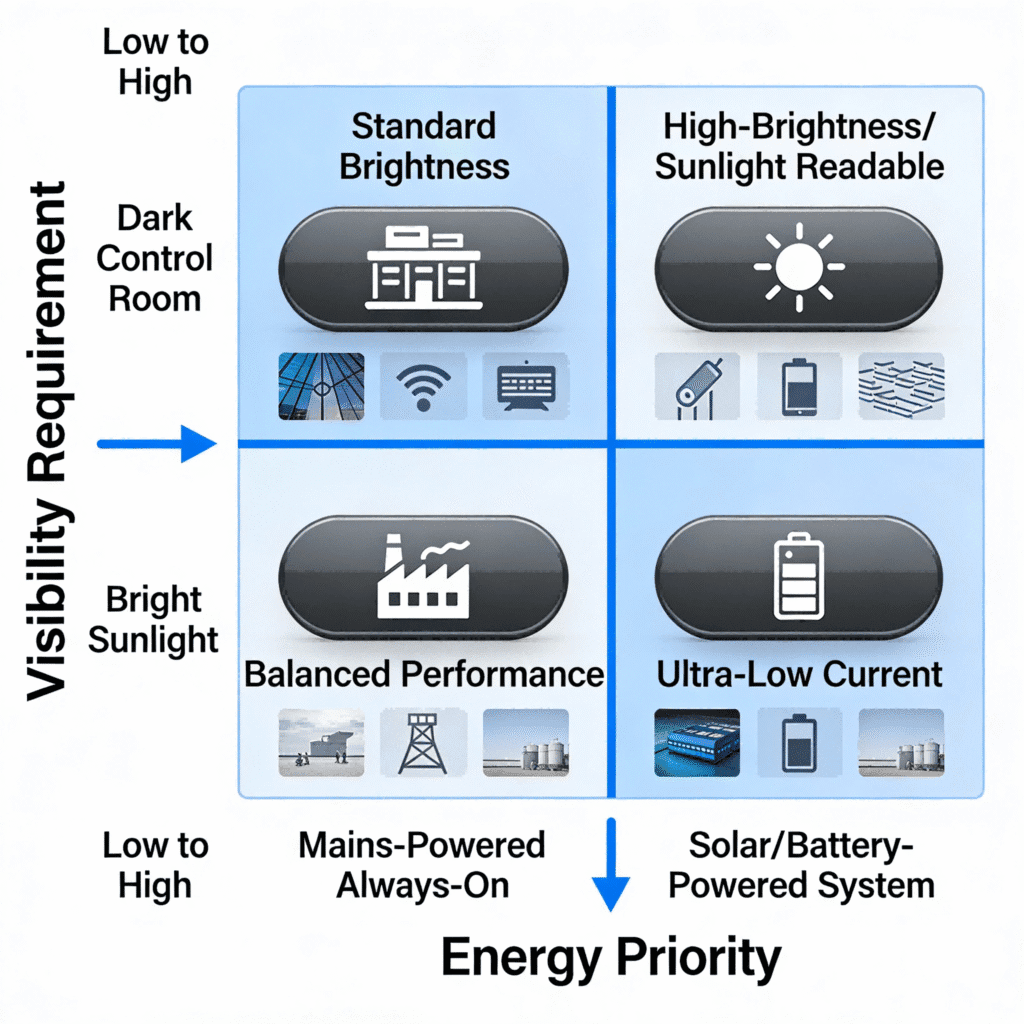
Follow these steps to balance visibility and energy efficiency:
4.1 Step 1: Define the Operational Environment
- Evaluate light conditions: Low-light, moderate-light, high-glare, or outdoor.
- Identify function: Safety (stop/emergency), operational (start/run), warning, or general-purpose.
- Note usage: 24/7 operation, intermittent use, or battery-powered.
4.2 Step 2: Select LED Color & Illumination Mode
- Align color with function (red = stop, green = start) per safety standards.
- Choose static or flashing mode based on urgency.
4.3 Step 3: Set Luminous Intensity Target
- Low-light: 50–100 cd (SMD LEDs, 3–5 mA).
- Moderate-light: 100–200 cd (SMD or high-power LEDs, 5–10 mA).
- High-glare/outdoor: 200–500 cd (high-power LEDs, 10–20 mA).
4.4 Step 4: Optimize for Energy Efficiency
- Select LED type: SMD for most applications; OLED for low-power needs.
- Match voltage to system (24V DC preferred for efficiency).
- Prioritize power consumption <10 mA for continuous use.
4.5 Step 5: Verify Mechanical & Environmental Specs
- Lens design: Diffused for wide-angle visibility; clear for targeted use.
- IP rating: IP65+ for harsh/dusty environments (ensures durability without compromising efficiency).
- Mount size: 22mm (standard) or 16mm/30mm (specialized) to fit control panels.
Example Selection Workflow: A welding shop needs an emergency stop button. Environment: high-glare, moderate-light. Function: safety (stop). Selection: Red LED, 300 cd luminous intensity, SMD LED type, 24V DC (5 mA power consumption), diffused lens, IP67 rating (Schneider Electric XB5EW3425).
5. Real-World Application Case Studies
5.1 Case Study 1: Automotive Assembly Plant (High-Glare, 24/7 Operation)
- Challenge: Need for visible, energy-efficient buttons for robotic control panels in bright, welding-intensive areas.
- Selection: Green (start)/red (stop) SMD LED buttons, 200 cd intensity, 24V DC (8 mA), diffused lenses (Siemens 3SU1600 series).
- Results: 40% improved visibility compared to previous incandescent buttons; 75% reduction in power consumption; zero replacements needed over 3 years.
5.2 Case Study 2: Cold Storage Warehouse (Low-Light, Energy Constraints)
- Challenge: Buttons for freezer temperature controls required low power consumption and visibility in near-dark conditions.
- Selection: Amber LED buttons, 75 cd intensity, OLED type, 12V DC (3 mA), clear lenses (IDEC AL6M-M series).
- Results: Operators could easily locate buttons; power consumption reduced by 80% vs. previous LEDs; no condensation-related failures (IP67 rating).
5.3 Case Study 3: Outdoor Solar Farm (High-Glare, Solar-Powered)
- Challenge: Buttons for inverter controls needed to be visible in direct sunlight and energy-efficient (powered by solar panels).
- Selection: Blue (mode selection) high-power LED buttons, 400 cd intensity, 24V DC (15 mA), diffused optical domes (Delta Electronics DTB series).
- Results: Visible even in midday sun; power draw aligned with solar system capacity; 99.9% reliability over 2 years.
6. Common Selection Pitfalls to Avoid
6.1 Prioritizing Brightness Over Efficiency
Choosing an overly bright button (>500 cd) for indoor use wastes energy and causes eye strain. Match brightness to the environment.
6.2 Ignoring Color Safety Standards
Using non-standard colors (e.g., blue for emergency stops) leads to operator confusion and safety risks. Follow IEC 60038 and OSHA guidelines.
6.3 Mismatching Voltage to System
Using a 120V AC button in a 24V DC system requires a transformer, increasing power loss and reducing efficiency.
6.4 Overlooking Lens Design
Clear lenses in high-glare environments render buttons invisible. Opt for diffused or domed lenses for outdoor/bright indoor use.
6.5 Choosing Low-Quality LEDs
Cheap LEDs have inconsistent brightness, higher power consumption, and shorter lifespans—invest in reputable brands (Schneider, Siemens, IDEC) for long-term savings.
7. Conclusion & Reference Resources
Selecting LED illuminated push buttons for visibility and energy efficiency requires balancing function, environment, and sustainability. By prioritizing LED color, luminous intensity, and lens design for visibility, and LED type, voltage, and power consumption for efficiency, you’ll ensure operators can act quickly while minimizing operational costs.
Key takeaways:
- Align LED color with function (red = stop, green = start) to meet safety standards and improve visibility.
- Match luminous intensity to the environment (50–500 cd) to avoid glare or invisibility.
- Opt for SMD LEDs (3–10 mA) and 24V DC voltage for maximum energy efficiency in most industrial applications.
- Use diffused lenses for wide-angle visibility and IP65+ ratings for durability in harsh conditions.
Appendix: Key Reference Resources
- IEC 60038: Standard for Industrial Control Panel Color Coding
- OSHA 1910.147: Control of Hazardous Energy (Safety Color Requirements)
- IEC 60529: IP Rating Classification Standard
- Schneider Electric: LED Illuminated Push Button Technical Datasheet
- Siemens: Energy-Efficient LED Switch Selection Guide
- IDEC: LED Visibility & Power Consumption White Paper